Free and open source for macOS 14 or later
Radio, just by asking.
Airwaves is a Mac menu bar app that turns an RTL-SDR Blog V4 dongle, about £35, into a radio you simply ask.
Everything runs on your Mac. Nothing leaves it.
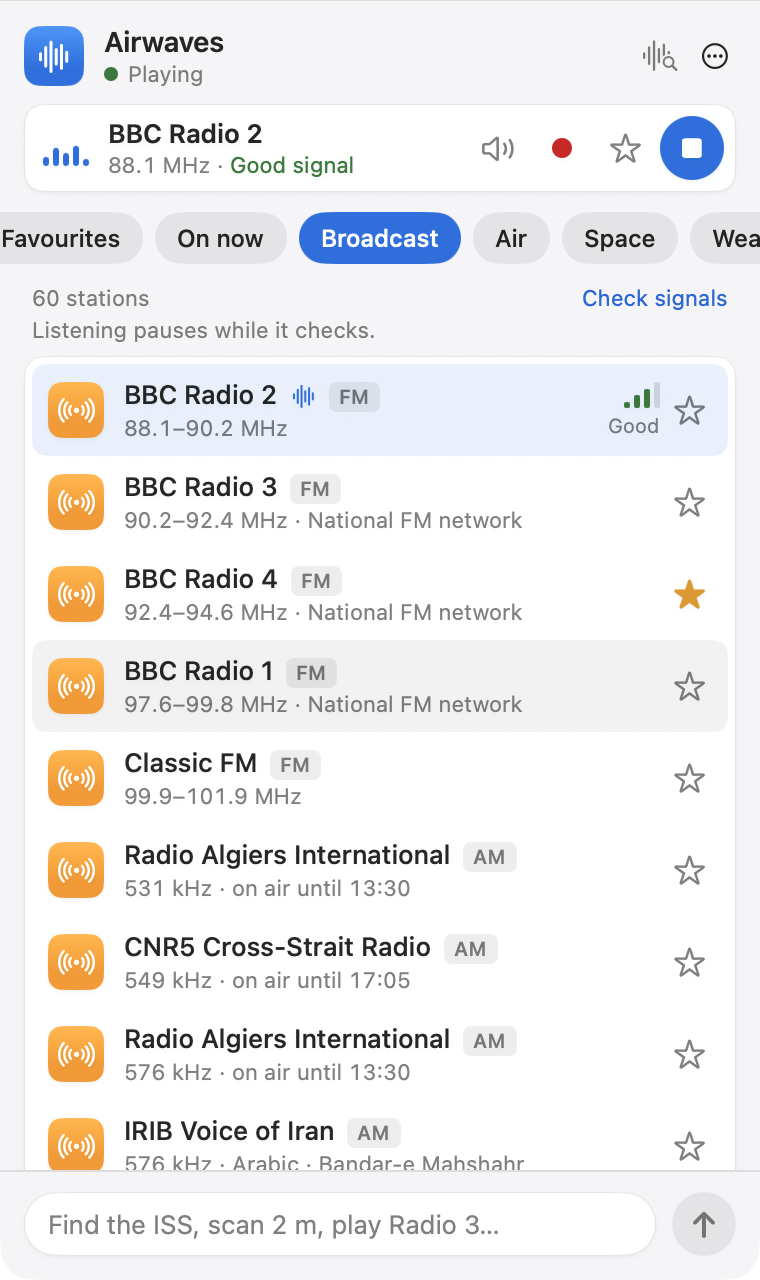
Ask
Say what you want to hear.
Type it the way you would say it. A model running on your Mac picks from a short list of things the app can do: tune, play, measure, scan, record.
- “Find the ISS”
- “Scan 2 m”
- “Play Radio 3”

Airwaves runs the model through a copy of Ollama inside the app, so you never need the Ollama app. The first run downloads the model. Without the model, the same box searches the station library.
Signal
Hear it, and see it.
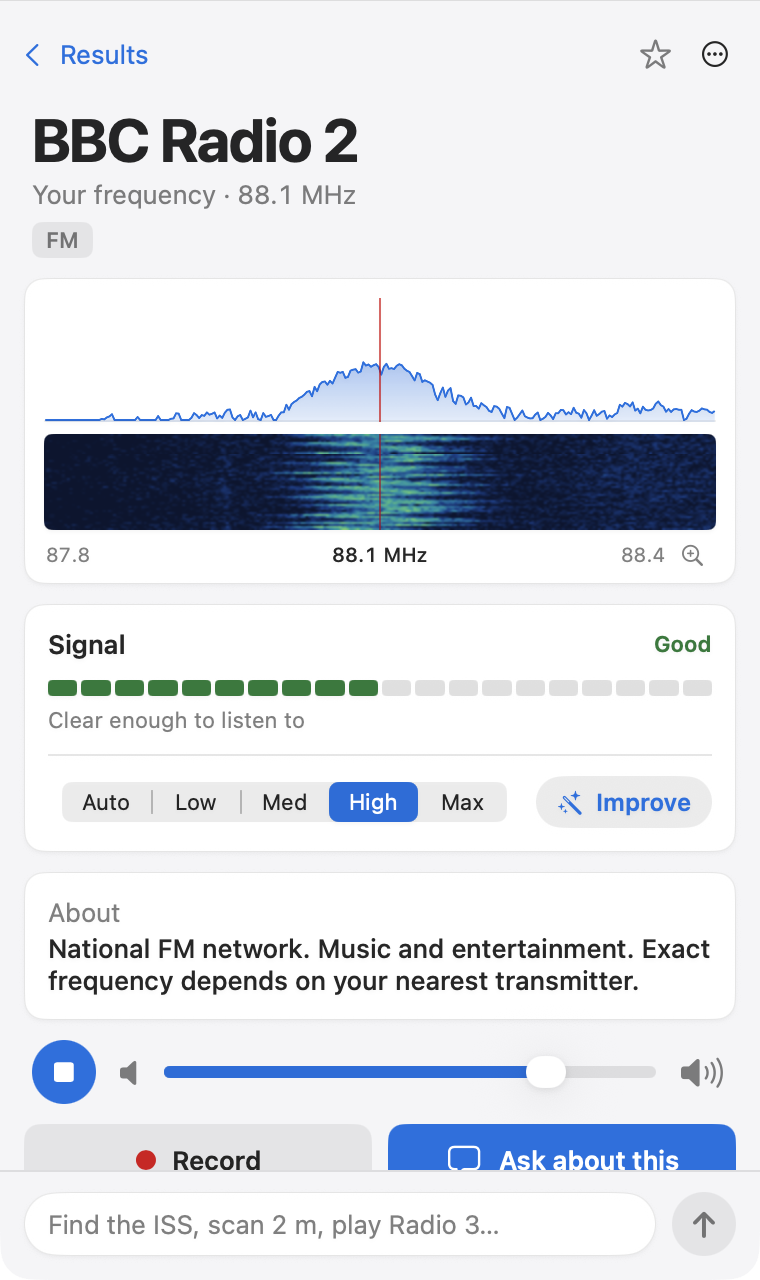
A live spectrum and waterfall show what is on the frequency, and a plain word tells you whether it is worth listening to.
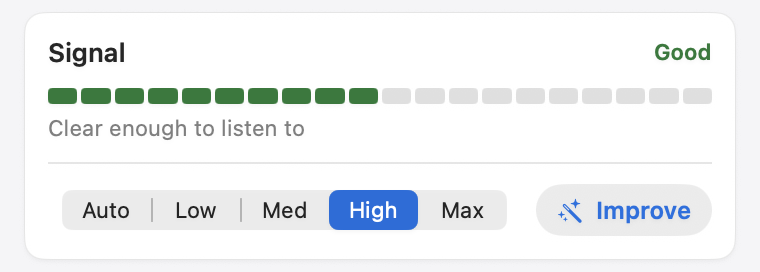
Reception sorts itself out. Improve tries a few settings, keeps the clearest, and remembers it for that station. Or choose Auto, Low, Med, High or Max yourself.
Scan
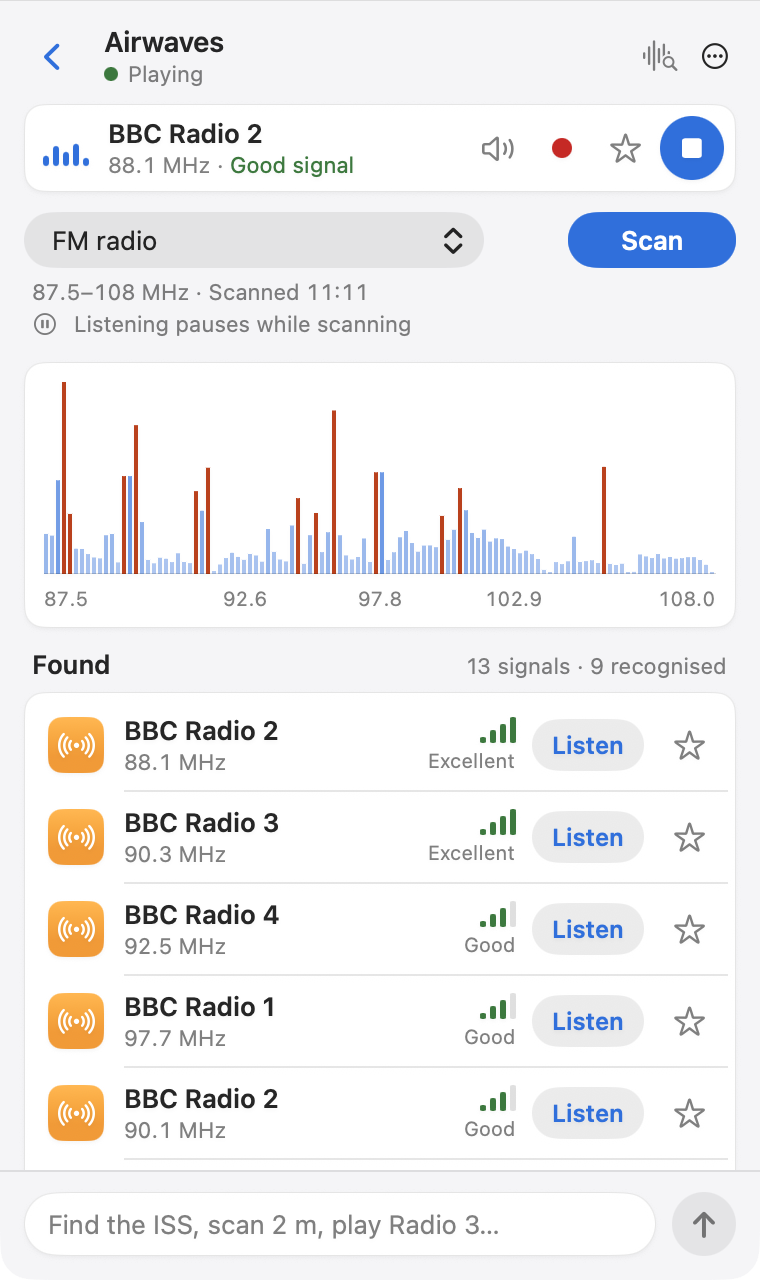
Find what is on the air.
Scan a band and Airwaves names what it hears, not just the frequencies.
It draws on a library of about 8,800 stations: UK FM networks, shortwave schedules from EiBi, amateur satellites, time signals and beacons.
More
There is more in the box.
Everything below is in version 1.0. The decoders are optional, free add-ons.
Record with one touch
Press Cmd-R to save what you are hearing as an AAC file in your Music folder.
Favourites and alerts
Star a station or a satellite. Get a notification when a scheduled station starts or a pass is due.
Maps
See transmitters and satellites on a map, with a pop-out map window.
- Optional add-on
Aircraft and ships
Optional add-ons show aircraft (ADS-B) and ships (AIS) as positions on the map.
- Optional add-on
Sensors and weather
Optional add-ons read 433 and 868 MHz sensors and decode Meteor-M weather images.
- Optional add-on
FT8 and WSPR spots
WSJT-X decodes; Airwaves tunes the radio and maps the spots it hears.
RDS station names and radio text appear when the free redsea tool is installed.
How
How it works.
You ask. A model on your Mac chooses from 13 fixed tools. The app checks every value before it touches the radio.
- You askIn plain English
- Local modelRuns on your Mac
- Typed toolsTune, play, scan, record
- RTL-SDR Blog V4Your dongle
- You hear itAudio, spectrum, meter
The model never writes commands. It can only press the buttons the app gives it, and the app builds each command itself.
Private
Nothing leaves your Mac.
A model on your Mac does the understanding, so nobody else sees what you ask.
The model, the radio, the library and your favourites all live on your Mac.
Your location never leaves it.
No account, no analytics, no telemetry.
The only network use
- CelesTrak satellite orbits.
- EiBi and SatNOGS schedules, only when you press Update Now.
- The model download, on first use.
- Apple’s place-name lookup, only if you type a place.
Hardware
One dongle. About £35.
Airwaves is built for the RTL-SDR Blog V4. The dongle and an antenna are bought separately.
- Mac
- macOS 14 or later, Apple silicon or Intel
- Radio
- RTL-SDR Blog V4
- Tools
- Homebrew, for the radio tools
- Antenna
- The telescopic dipole is weak below 30 MHz. A 5 to 10 m wire out of a window helps a great deal.
Legal
Receive only, and UK-aware.
In the UK, only broadcast and amateur transmissions are for general reception.
Airwaves only receives. It never transmits.
Restricted categories, such as airband and marine voice, aircraft datalink and utility traffic, are hidden by default.
This is guidance, not legal advice. You are responsible for what you listen to.
Limits
What it does not do.
Better you hear it from us.
- The V4 receives 500 kHz to 1.766 GHz, so no longwave, MSF or DCF77.
- Audio is mono. There is no stereo FM.
- NOAA APT weather satellites are retired; Meteor-M images are decoded instead.
- Weather fax and NAVTEX are tuned and played, not decoded.
- No Mac App Store build and no automatic updates.
FAQ
Questions, answered.
Short answers to the usual questions.
Do I need the Ollama app?
No. A copy of Ollama’s server is built into Airwaves and starts when you do. If you already run Ollama, Airwaves uses that. The model is downloaded on first use.
Does it work without the AI?
Yes. Without the model, your question becomes a library search, and you still get results.
Which dongle do I need?
The RTL-SDR Blog V4, about £35. Airwaves is built and tested for it.
Is it on the Mac App Store?
No. Airwaves has to start helper programmes, which the App Store sandbox forbids. It will be a signed and notarised DMG.
Why does it need Homebrew?
The radio tools, such as librtlsdr, are installed with Homebrew. Optional decoders are separate and free.
Is it free?
Yes. It is open source under the MIT licence.
Does anything leave my Mac?
No. The only network use is orbits, schedules you ask for, the model download and an optional place-name lookup. There is no analytics or account.
Coming soon.
It will be a signed and notarised DMG.